Knowledge Management Architecture: Building Enterprise RAG Systems for AI-First Organizations
The Knowledge Bottleneck
Every AI-first organisation eventually confronts the same challenge: their AI systems are only as good as the knowledge those systems can access.
Large language models arrive with impressive general capabilities, but they know nothing about your organisation’s policies, processes, products, or people. They hallucinate confidently when asked about internal matters. They can’t answer the questions that actually matter to employees and customers—the specific, contextual questions that require organisational knowledge.
Retrieval-Augmented Generation (RAG) addresses this by grounding AI responses in your organisation’s actual documents. The concept is straightforward: retrieve relevant context from your knowledge base, inject it into the AI prompt, generate responses based on that context.
Implementation is considerably harder.
Enterprise RAG systems fail not because the technology doesn’t work, but because knowledge management at enterprise scale involves challenges that simple prototypes don’t reveal. Document sprawl across dozens of systems. Content that contradicts itself across versions. Access controls that vary by document, section, and user. Quality that ranges from carefully edited policies to hastily written email threads.
This post examines the architectural patterns that separate production RAG systems from prototypes that never leave the lab.
Architecture Overview
A production RAG system comprises five major subsystems:
[Content Sources]     [Ingestion Pipeline]     [Vector Store]
       |                     |                      |
       v                     v                      v
  Confluence           Processing              Embeddings
  SharePoint           Chunking                Metadata
  Documents            Enrichment              Indices

  Databases                                        |
       |                     |                     |
       +---------------------+---------------------+
                             |
                             v
                    [Query Processing]
                             |
                             v
                    [Response Generation]
Each subsystem presents distinct challenges at enterprise scale.
Content Ingestion Architecture
The Source Integration Problem
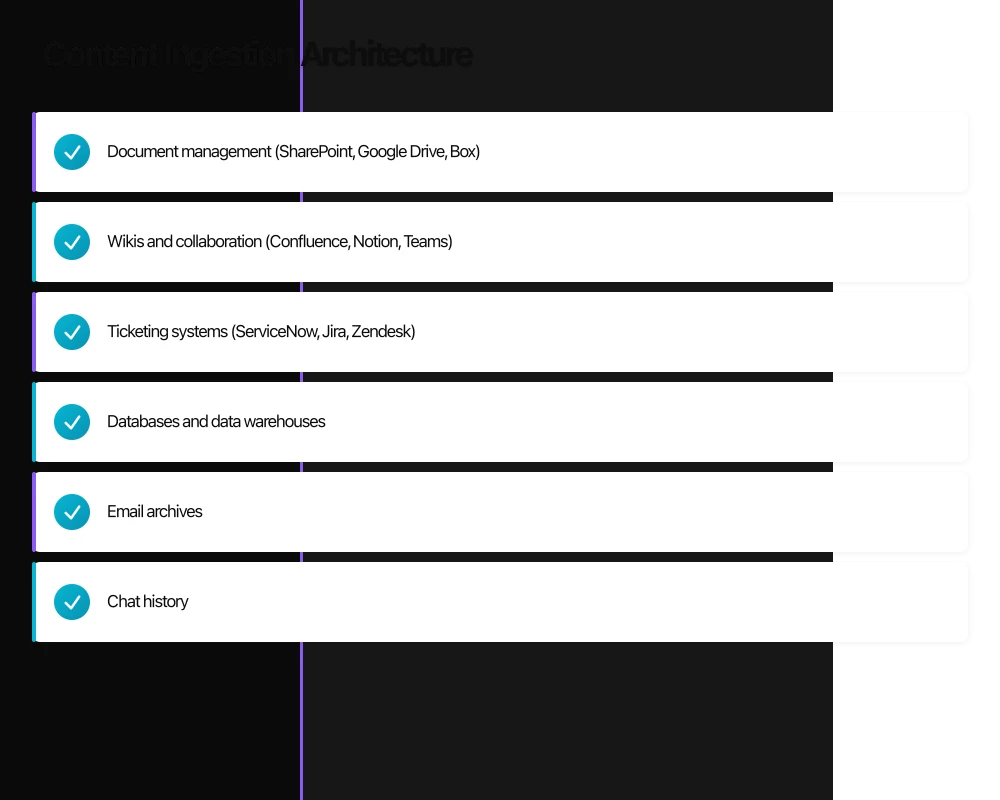
Enterprise knowledge lives everywhere:
- Document management (SharePoint, Google Drive, Box)
- Wikis and collaboration (Confluence, Notion, Teams)
- Ticketing systems (ServiceNow, Jira, Zendesk)
- Databases and data warehouses
- Email archives
- Chat history
- Code repositories
Each source has different:
- APIs and authentication mechanisms
- Content formats and structures
- Update patterns and change detection
- Access control models
Connector Architecture
Build a modular connector framework:
[Connector Interface]
        |
        +---> SharePointConnector
        +---> ConfluenceConnector
        +---> DatabaseConnector
        +---> FileSystemConnector
Each connector implements:
class ContentConnector(Protocol):
def list_items(self, since: datetime) -> Iterator[ContentItem]:
"""List items modified since timestamp"""
...
def get_content(self, item_id: str) -> ContentDocument:
"""Retrieve full content for item"""
...
def get_permissions(self, item_id: str) -> PermissionSet:
"""Retrieve access permissions"""
...
def get_metadata(self, item_id: str) -> dict:
"""Retrieve item metadata"""
...Incremental Processing
Full reprocessing of all content is impractical at scale. Implement change detection:
Timestamp-Based: Track last successful sync per source; query for changes since that timestamp.
Content Hashing: Hash document content; reprocess only when hash changes.
Event-Driven: Subscribe to source system webhooks for real-time updates.
Hybrid Approach: Combine event-driven for high-priority sources with scheduled incremental scans.
Content Extraction
Raw documents require preprocessing:
Text Extraction:
- PDF: Extract with layout awareness (tables, headers, columns)
- Office Documents: Handle embedded objects and formatting
- HTML: Clean markup while preserving structure
- Images: OCR where text is embedded in images
Metadata Extraction:
- Document title, author, creation date
- Classification and tags from source system
- Source URL and identifiers
- Relationship to other documents
Quality Signals:
- Document age and freshness
- Edit frequency
- Author authority
- Explicit ratings or endorsements
Chunking Strategy
How you split documents into chunks determines retrieval quality more than any other factor.
The Chunking Trade-off
Small chunks (256-512 tokens):
- More precise retrieval
- Better embedding quality
- May lose context spanning chunk boundaries
- More chunks to manage
Large chunks (1024-2048 tokens):
- Preserve more context
- Fewer chunks to manage
- Diluted relevance (irrelevant text in chunk reduces match quality)
- May exceed context windows when multiple chunks retrieved
Chunking Strategies
Fixed-Size Chunking Split at fixed token counts with overlap:
def fixed_chunk(text: str, size: int = 512, overlap: int = 50):
    tokens = tokenize(text)
    chunks = []
    for i in range(0, len(tokens), size - overlap):
        chunks.append(tokens[i:i + size])
    return chunks
Simple but breaks semantic units (sentences, paragraphs).
Semantic Chunking Respect document structure:
def semantic_chunk(text: str, max_size: int = 512):
    sections = extract_sections(text)  # Use headers, paragraphs
    chunks = []
    current = []
    current_size = 0

    for section in sections:
        section_size = count_tokens(section)
        if current_size + section_size > max_size:
            chunks.append(merge(current))
            current = [section]
            current_size = section_size
        else:
            current.append(section)
            current_size += section_size

    if current:
        chunks.append(merge(current))
    return chunks
Preserves meaning but creates variable-size chunks.
Hierarchical Chunking Create chunks at multiple levels:
Document
    |
    +---> Section chunks (large context)
    |         |
    |         +---> Paragraph chunks (medium context)
    |                   |
    |                   +---> Sentence chunks (fine retrieval)
Enables multi-level retrieval with context expansion.
Chunk Enrichment
Add context that improves retrieval:
Contextual Prefixes: Prepend document title and section headers:
"[From: Employee Handbook > Leave Policies > Annual Leave]
Employees are entitled to 20 days of annual leave..."
Summary Generation: Generate summaries for each chunk using LLM:
{
  "content": "...",
  "summary": "Annual leave entitlement and approval process",
  "keywords": ["annual leave", "PTO", "vacation approval"]
}
Hypothetical Questions: Generate questions this chunk might answer:
{
  "content": "...",
  "questions": [
    "How many days of annual leave do employees get?",
    "Who approves leave requests?",
    "Can I carry over unused leave?"
  ]
}
Vector Store Architecture
Embedding Model Selection
Embedding models convert text to vectors for similarity search.
Considerations:
- Dimension size (higher = more expressive, more storage)
- Multilingual support
- Domain adaptation capabilities
- Inference cost and latency
- Open vs. proprietary
Current Options:
- OpenAI text-embedding-3 (proprietary, excellent quality)
- Cohere embed (proprietary, multilingual)
- BGE (open, competitive quality)
- E5 (open, good multilingual)
Recommendation: Start with high-quality proprietary embeddings; evaluate open alternatives for cost optimisation once baseline is established.
Vector Database Selection
Vector databases store embeddings and enable similarity search.
Purpose-Built Options:
- Pinecone: Managed, excellent performance, limited filtering
- Weaviate: Open source, hybrid search, good metadata filtering
- Qdrant: Open source, excellent filtering, efficient storage
- Milvus: Open source, high scale, Kubernetes-native
Embedded Options:
- Chroma: Simple, Python-native, good for prototypes
- pgvector: PostgreSQL extension, familiar tooling, moderate scale
Selection Criteria:
- Scale requirements (millions vs. billions of vectors)
- Filtering complexity (simple vs. multi-dimensional)
- Operational preferences (managed vs. self-hosted)
- Cost structure (per-vector vs. infrastructure-based)
Index Architecture
Structure indices for your query patterns:
Single Index (Simple): All content in one index. Works for small-scale deployments. Becomes slow with complex filtering at large scale.
Multi-Index (Segmented): Separate indices by content type or access level:
[Public Content Index]  <-- Queries from unauthenticated users
[Internal Index]        <-- All authenticated users
[Confidential Index]    <-- Restricted users only
Hierarchical Index: Parent-child relationships for document structure:
Document Index (summaries)
      |
      +---> Section Index (details)
                  |
                  +---> Paragraph Index (fine-grained)
Query starts broad; drill down for specificity.
Query Processing
Query Understanding
Raw user queries often need preprocessing:
Query Expansion: Add synonyms and related terms:
User: "vacation policy"
Expanded: "vacation policy annual leave PTO time off holiday entitlement"
Query Decomposition: Split complex queries into sub-queries:
User: "What's our vacation policy and how do I request time off?"
Sub-queries:
  1. "vacation policy entitlement"
  2. "request time off process approval"
Intent Classification: Route queries based on intent:
User: "Who should I contact about benefits?"
Intent: contact_lookup (route to HR directory)

User: "What are our health insurance options?"
Intent: policy_retrieval (route to knowledge base)
Retrieval Strategy
Dense Retrieval: Vector similarity search on embeddings. Captures semantic similarity but may miss exact keyword matches.
Sparse Retrieval: BM25 or TF-IDF on text. Captures keyword matches but misses semantic equivalents.
Hybrid Retrieval: Combine dense and sparse:
def hybrid_search(query: str, k: int = 10):
    dense_results = vector_search(query, k=k)
    sparse_results = bm25_search(query, k=k)

    # Reciprocal rank fusion
    combined = reciprocal_rank_fusion(dense_results, sparse_results)
    return combined[:k]
Hybrid typically outperforms either approach alone.
Re-Ranking
Initial retrieval returns candidates; re-ranking improves precision:
Cross-Encoder Re-Ranking: Score (query, chunk) pairs with a cross-encoder model:
def rerank(query: str, chunks: List[str], top_k: int = 5):
    pairs = [(query, chunk) for chunk in chunks]
    scores = cross_encoder.predict(pairs)
    ranked = sorted(zip(chunks, scores), key=lambda x: -x[1])
    return ranked[:top_k]
Cross-encoders are slow but accurate. Use for top-N candidates only.
LLM-Based Re-Ranking: Ask LLM to rank candidates by relevance:
Given the query: "{query}"
Rank these documents from most to least relevant:
1. {doc1}
2. {doc2}
...
Expensive but effective for complex relevance judgments.
Response Generation
Context Construction
How you present retrieved context matters:
Simple Concatenation:
Context:
{chunk1}
{chunk2}
{chunk3}

Question: {query}
Answer based on the context above.
Structured Context:
# Retrieved Information

## From: Employee Handbook (Updated: 2024-01-15)
{chunk1}

## From: HR FAQ (Updated: 2023-08-20)
{chunk2}

# Your Question
{query}

# Instructions
Answer the question using only the information above. Cite your sources.
Relevance-Weighted: Order context by relevance score; place most relevant first (or last, depending on model).
Grounding and Attribution
Production systems must ground responses in retrieved content:
Citation Requirements:
Answer the question and cite the source documents using [1], [2], etc.
At the end, list your sources.
Verification Prompting:
For each claim in your answer, quote the specific text that supports it.
If you cannot find support for a claim, do not make it.
Uncertainty Expression:
If the retrieved context doesn't contain enough information to answer
confidently, say "I don't have enough information about X" rather
than guessing.
Hallucination Mitigation
LLMs hallucinate. RAG reduces but doesn’t eliminate this.
Detection Strategies:
- Claim extraction: Parse response into claims; verify each against sources
- Entailment checking: NLI model to check if claims are entailed by context
- Citation verification: Check that citations actually exist and support claims
Prevention Strategies:
- Conservative prompting: Instruct model to decline rather than guess
- Temperature reduction: Lower temperature reduces creative fabrication
- Context filtering: Remove low-relevance chunks that might confuse
Access Control Architecture
Enterprise RAG must respect document permissions.
Permission Models
Document-Level: Each document has a permission set; users see results only from accessible documents.
Section-Level: Within documents, sections may have different permissions (redacted clauses, confidential appendices).
User-Contextual: Permissions depend on user context (role, department, project membership).
Implementation Patterns
Filter at Query Time: Include user permissions in query:
def secure_search(query: str, user: User):
    # Build permission filter
    access_filter = {
        "OR": [
            {"visibility": "public"},
            {"department": user.department},
            {"allowed_users": {"contains": user.id}},
        ]
    }

    return vector_db.search(
        query=query,
        filter=access_filter
    )
Permission-Indexed Documents: Include permission metadata in document embeddings; filter during retrieval.
Separate Indices: Maintain separate indices for different permission levels; query appropriate indices per user.
Audit and Compliance
Log all queries and retrievals:
{
  "timestamp": "2024-02-13T10:30:00Z",
  "user_id": "user123",
  "query": "compensation guidelines",
  "retrieved_documents": ["doc_a", "doc_b"],
  "response_generated": true,
  "sources_cited": ["doc_a"]
}
Enable:
- Access pattern analysis
- Compliance reporting
- Anomaly detection
- Quality improvement
Evaluation and Improvement
Evaluation Metrics
Retrieval Metrics:
- Recall@K: Fraction of relevant documents in top K
- MRR: Mean reciprocal rank of first relevant result
- NDCG: Normalized discounted cumulative gain
Response Metrics:
- Faithfulness: Does response align with retrieved context?
- Answer correctness: Is the answer factually correct?
- Completeness: Does answer address all aspects of the query?
Evaluation Infrastructure
Build evaluation datasets:
{
  "query": "What is our parental leave policy?",
  "relevant_docs": ["hr_handbook_v3", "benefits_faq"],
  "expected_answer": "16 weeks paid leave for primary caregivers...",
  "expected_citations": ["hr_handbook_v3"]
}
Run evaluation regularly:
- After model changes
- After significant content updates
- On scheduled basis for drift detection
Continuous Improvement
User Feedback:
- Thumbs up/down on responses
- “This didn’t answer my question”
- Correction submissions
Retrieval Analysis:
- Queries with no relevant results
- Queries with low-confidence responses
- Frequently asked questions without content coverage
Content Gap Identification:
- Questions that consistently fail to find answers
- Topics with outdated content
- Areas where users frequently escalate to humans
Scaling Considerations
Enterprise RAG systems grow with usage. Plan for scale:
Content Scale:
- Millions of documents across sources
- Billions of chunks in vector store
- Continuous ingestion from hundreds of sources
Query Scale:
- Thousands of queries per minute
- Sub-second latency requirements
- Concurrent users across time zones
Model Scale:
- Multiple embedding models for different content types
- Large context models for complex queries
- Ensemble approaches for quality
Architectural Responses
Caching:
- Query result caching for repeated questions
- Embedding caching for frequently accessed documents
- LLM response caching for common queries
Tiered Processing:
- Simple queries: fast, cheap models
- Complex queries: powerful, expensive models
- Route based on query classification
Distributed Infrastructure:
- Sharded vector stores
- Replicated query services
- Regional deployments for latency
The Knowledge-First Organisation
RAG systems are means to an end. The end is enabling every employee and every AI system to access organisational knowledge effectively.
This requires more than technology:
- Content governance ensuring knowledge is current and accurate
- Contribution incentives making knowledge sharing rewarding
- Quality processes maintaining standards across sources
- Feedback loops connecting user needs to content creation
The organisations that win with AI will be those with the best knowledge infrastructure. RAG is the interface between that knowledge and AI capabilities.
Build it to last.
Ash Ganda advises enterprise technology leaders on AI systems, knowledge management, and digital transformation strategy. Connect on LinkedIn for ongoing insights.
The strategic frameworks I discuss here come to life through execution. Cloud Geeks covers the practical side of cloud infrastructure and IT management.
As founder of Ganda Tech Services, I work with Australian businesses to align technology investments with business growth — across cloud, web, and mobile.
About the Author
Ashish Ganda is the founder of Ganda Tech Services, a Sydney-based technology consultancy specialising in cloud infrastructure, web development, and mobile app solutions for Australian businesses.
AI Strategy Primer for Australian Business Leaders
A practical framework for AI adoption in 2026 — cut through the hype and start with what matters.