Cloud Cost Optimisation: A Practical Guide for Enterprise CTOs
Introduction
Cloud bills have a way of surprising executives. What started as agile, pay-as-you-go infrastructure becomes a significant line item that grows faster than the business. The CFO starts asking questions. The board wants explanations.
Most enterprises are overspending on cloud by 20-30%. Not because cloud is inherently expensive, but because optimisation requires deliberate effort that competes with feature delivery for engineering attention.
This guide covers practical approaches to reducing cloud spend without sacrificing the agility and performance that justified moving to cloud in the first place.
Understanding Cloud Cost Drivers
The Pay-As-You-Go Trap
Cloud’s flexibility is also its cost challenge:
- Easy to provision, easy to forget
- No physical constraint on growth
- Costs distributed across teams
- Bills arrive after consumption
Traditional IT had natural constraints. Someone had to approve hardware purchases. Physical capacity limited sprawl. Cloud removes these friction points—which enables agility but requires new disciplines.
Where Money Goes
Typical enterprise cloud spend breakdown:
Compute (40-60%)
- Virtual machines and containers
- Serverless function execution
- Container orchestration
Storage (15-25%)
- Block storage for VMs
- Object storage for data
- Database storage
- Backups and snapshots
Data Transfer (10-20%)
- Egress from cloud
- Cross-region transfer
- API calls and data movement
Managed Services (10-20%)
- Databases as a service
- Analytics platforms
- AI/ML services
- Application services
The Visibility Problem
Before optimising, you need to understand:
- What are we spending on?
- Who is spending it?
- Why are they spending it?
- Is the spend delivering value?
Most organisations lack clear answers to these questions.
Quick Wins: Immediate Savings
Identify Idle Resources
Unused Compute
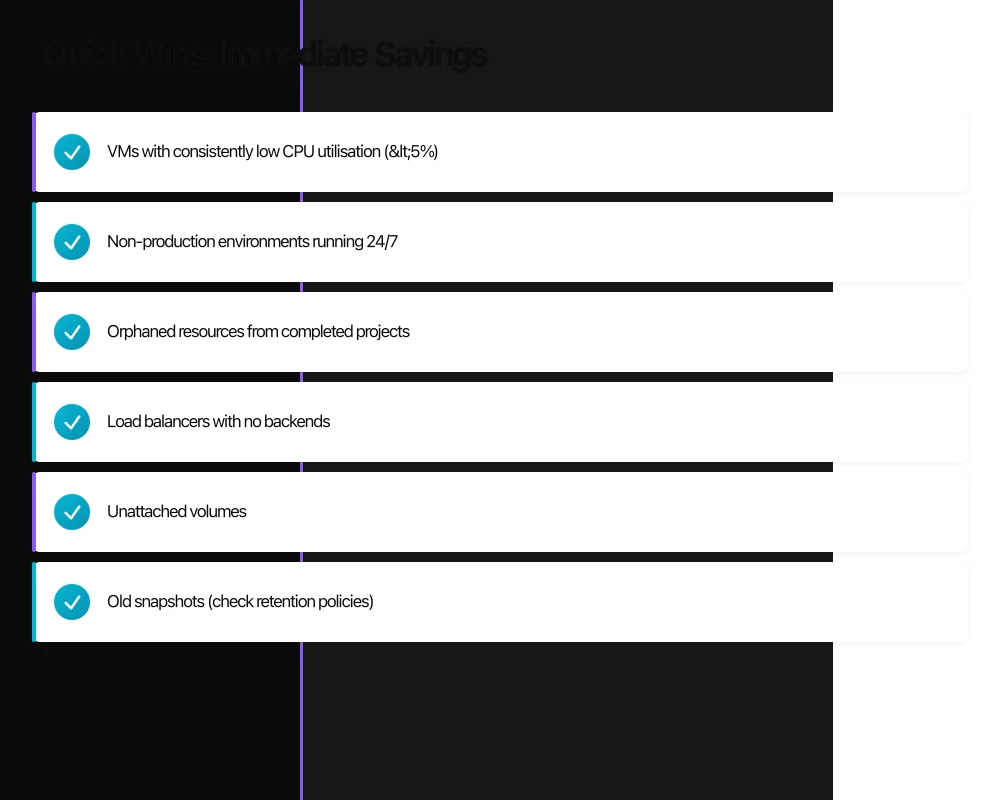
Look for:
- VMs with consistently low CPU utilisation (<5%)
- Non-production environments running 24/7
- Orphaned resources from completed projects
- Load balancers with no backends
Unused Storage
Find:
- Unattached volumes
- Old snapshots (check retention policies)
- Obsolete backups
- Abandoned S3 buckets or blob containers
Tools
- AWS Trusted Advisor and Cost Explorer
- Azure Advisor and Cost Management
- Google Cloud Recommendations
- Third-party tools like CloudHealth or Spot.io
Rightsize Overprovisioned Resources
The Pattern
Engineers provision for peak load or guess high for safety. Resources run at 10-20% utilisation.
The Fix
Analyse actual utilisation over time:
- CPU and memory patterns
- Peak vs average usage
- Time-of-day variations
Resize to appropriate instance types. Modern cloud makes this low-risk—you can always resize again.
Recommendation
Start with development and test environments. Lower risk, often more egregiously overprovisioned.
Eliminate Unnecessary Data Transfer
Common Waste
- Cross-region traffic for services that could be co-located
- Excessive logging shipped externally
- Redundant data synchronisation
- Uncompressed transfer
Quick Checks
- Are services that communicate frequently in the same region?
- Is logging at appropriate levels (not DEBUG in production)?
- Are large data transfers compressed?
- Can processing move closer to data?
Structural Optimisation
Reserved Capacity and Savings Plans
The Trade-off
Commit to usage in exchange for significant discounts:
- AWS Reserved Instances: Up to 72% savings
- Azure Reserved Instances: Up to 72% savings
- Google Committed Use: Up to 57% savings
When to Commit
Reserve capacity for:
- Stable, predictable workloads
- Production databases
- Core application infrastructure
- Baseline compute that doesn’t vary
Keep on-demand for:
- Variable workloads
- Development and testing
- Burst capacity
- New or uncertain workloads
Strategy
Start conservative. Reserve 60-70% of your baseline, then optimise from there. Over-committing creates its own problems.
Spot and Preemptible Instances
The Opportunity
Spare cloud capacity at 60-90% discount:
- AWS Spot Instances
- Azure Spot VMs
- Google Preemptible VMs
Suitable Workloads
- Batch processing
- CI/CD pipelines
- Development environments
- Stateless application tiers (with proper handling)
- Data processing and analytics
Requirements
- Workload must tolerate interruption
- Application must handle termination gracefully
- Architecture supports instance replacement
Storage Tiering
The Problem
All data stored at the same (expensive) tier regardless of access patterns.
The Solution
Move data to appropriate storage classes:
Hot Storage
- Frequently accessed data
- Production databases
- Active application data
Warm Storage
- Occasionally accessed
- Recent logs and analytics
- Compliance data (accessed for audits)
Cold Storage
- Rarely accessed
- Long-term archives
- Disaster recovery backups
Archive Storage
- Almost never accessed
- Legal holds
- Historical records
Automation
Configure lifecycle policies to automatically transition data based on age or access patterns.
Architectural Approaches
Serverless Where Appropriate
Cost Model
Pay only for actual execution:
- No idle compute costs
- Automatic scaling
- Per-request pricing
Good Fit
- Variable or unpredictable traffic
- Event-driven processing
- APIs with sporadic usage
- Scheduled tasks
Poor Fit
- Consistent high-volume processing
- Long-running operations
- Workloads requiring specific runtime environments
Caution
Serverless isn’t always cheaper. At high volumes, traditional compute may cost less. Model both approaches.
Containerisation Benefits
Efficiency Gains
Containers enable:
- Higher compute density
- Faster scaling
- Better resource utilisation
- Consistent environments
Kubernetes Considerations
Kubernetes adds operational overhead but enables:
- Sophisticated autoscaling
- Bin-packing optimisation
- Multi-tenancy
- Workload placement control
Managed vs Self-Managed
Managed Kubernetes (EKS, AKS, GKE) costs more than self-managed but reduces operational burden. Factor in engineering time, not just service costs.
Multi-Cloud Considerations
Potential Benefits
- Leverage best pricing across providers
- Avoid vendor lock-in
- Optimise for specific workloads
Reality Check
Multi-cloud complexity often exceeds savings:
- Engineering overhead for multiple platforms
- Data transfer costs between clouds
- Lowest-common-denominator architectures
- Operational complexity
For most enterprises, deep optimisation on one cloud beats surface-level multi-cloud.
Organisational Approaches
Cost Visibility and Allocation
Tagging Strategy
Consistent tagging enables understanding:
- Cost centre or business unit
- Environment (production, staging, development)
- Application or service
- Owner or team
- Project or initiative
Enforcement
Make tagging mandatory:
- Prevent resource creation without tags
- Regular audits for compliance
- Automated remediation for untagged resources
Reporting
Provide teams with their costs:
- Regular cost reports by team
- Anomaly alerts for unusual spending
- Trend analysis over time
- Comparison to budget
Accountability Models
Centralised
Central team manages all cloud:
- Consistent optimisation
- Economies of scale
- But: disconnected from application context
Distributed
Teams manage their own cloud:
- Close to application needs
- Direct accountability
- But: inconsistent practices, duplicated effort
Hybrid (Recommended)
Central platform team provides:
- Guardrails and governance
- Shared services and tooling
- Expertise and guidance
- Reserved capacity management
Application teams own:
- Their resource provisioning
- Their optimisation decisions
- Their cost accountability
Engineering Incentives
Align Incentives
If engineers are measured only on features, cost optimisation loses. Consider:
- Cost efficiency as a team metric
- Optimisation work in sprint planning
- Recognition for cost improvements
- Budget ownership at team level
Make It Easy
Provide tools and automation:
- Self-service cost dashboards
- Automated rightsizing recommendations
- Easy reserved instance purchasing
- Anomaly detection and alerting
Building a Cost Optimisation Practice
Start with Visibility
Before optimising, understand your costs:
- Implement comprehensive tagging
- Set up cost allocation and reporting
- Establish baselines by team and application
- Identify top spending areas
Prioritise by Impact
Focus effort where it matters:
- Rank spending by category and team
- Identify largest optimisation opportunities
- Estimate effort vs savings for each
- Create prioritised backlog
Iterate Continuously
Cost optimisation isn’t a project—it’s an ongoing practice:
- Monthly cost reviews
- Quarterly deep-dive analyses
- Continuous rightsizing
- Regular reserved capacity evaluation
Measure and Report
Track progress transparently:
- Cost per unit of business value
- Optimisation savings achieved
- Coverage ratios (reserved, spot)
- Waste elimination metrics
Common Pitfalls
Optimising Too Early
Don’t optimise before understanding usage patterns. Premature commitment or architecture changes based on incomplete data waste effort.
Ignoring Engineering Costs
A $10,000 engineering effort to save $100/month isn’t worthwhile. Factor in implementation and maintenance costs.
Over-Committing
Aggressive reserved instance purchases for workloads that change create unused commitments. Start conservative.
Cost-Cutting That Hurts
Optimisation shouldn’t compromise:
- Performance that affects customers
- Reliability and availability
- Security and compliance
- Developer productivity
Set-and-Forget
Cloud costs drift without continuous attention. Build ongoing practices, not one-time projects.
Tools and Platforms
Native Cloud Tools
AWS
- Cost Explorer for analysis
- Budgets for alerting
- Trusted Advisor for recommendations
- Compute Optimizer for rightsizing
Azure
- Cost Management + Billing
- Advisor for recommendations
- Reserved capacity management
Google Cloud
- Cost Management tools
- Recommender for optimisation
- Committed use discounts
Third-Party Platforms
For multi-cloud or advanced features:
- CloudHealth by VMware
- Spot by NetApp
- Apptio Cloudability
- Flexera
Evaluate whether added capability justifies additional cost.
Conclusion
Cloud cost optimisation is a continuous discipline, not a one-time fix. The organisations that manage cloud costs well treat it as an ongoing practice with clear ownership, appropriate tooling, and aligned incentives.
Start with visibility. Pursue quick wins to build momentum. Then address structural and architectural optimisations. Build practices that sustain improvement over time.
The goal isn’t minimal spending—it’s appropriate spending. Value delivered per dollar spent. Agility preserved while waste eliminated.
Your cloud bill should reflect deliberate choices, not accumulated accidents.
Sources
- Gartner. (2023). Cloud Cost Optimization Best Practices. Gartner Research.
- AWS. (2023). AWS Cost Optimization Pillar. AWS Well-Architected Framework. https://docs.aws.amazon.com/wellarchitected/latest/cost-optimization-pillar/
- Flexera. (2023). State of the Cloud Report. Flexera.
- FinOps Foundation. (2023). FinOps Framework. https://www.finops.org/framework/
Strategic guidance for technology leaders building efficient cloud operations.
The strategic frameworks I discuss here come to life through execution. Cloud Geeks covers the practical side of cloud infrastructure and IT management.
Ash Ganda is the founder of Ganda Tech Services, a Sydney-based technology consultancy delivering cloud, web, and mobile solutions for Australian businesses.
About the Author
Ashish Ganda is the founder of Ganda Tech Services, a Sydney-based technology consultancy specialising in cloud infrastructure, web development, and mobile app solutions for Australian businesses.
Digital Transformation Roadmap 2026
A 12-month framework for Australian SMBs ready to modernise — phases, tools, and milestones.
Almost done
Check your inbox and click the confirmation link to get your download.